


Toogle


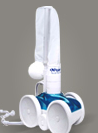




Robotic, Suction or Pressure Pool Cleaner Not Moving
An automatic pool cleaner that sits in one spot, moves slowly, or gets stuck is a common complaint. The cause depends on the type of cleaner you own. Robotic cleaners run on their own motors and power supply. Suction cleaners rely on your filter pump. Pressure cleaners use water pushed from the return line or a booster pump. Find your type below and work through the checks in order. For help choosing a new cleaner, see How to Choose the Right Pool Cleaning System.
Robotic cleaners
Safety note: Always unplug the power supply before handling the cleaner or its cable, and never handle the power supply with wet hands. Plug it into a GFCI-protected outlet, and keep the power supply away from the pool edge as the manual directs. Don't open sealed motor units yourself; doing so can damage the seals.
1. Check power
- Confirm the outlet works and the GFCI hasn't tripped.
- Look at the power supply's lights or display for an error code, and check your manual for its meaning.
- Unplug the power supply for a minute, then restart it.
- Make sure the floating cable is firmly plugged into the power supply, and inspect it for cuts or crushed sections.
2. Clean the filter
A full filter bag, basket, or cartridge can stop suction and slow the cleaner, and some models stop or reverse when the filter is clogged. Rinse filters after every cycle. If the mesh is torn or the fabric is stiff, replace it. Find filters and bags in Robotic Pool Cleaners & Parts.
3. Look for jams
With the cleaner unplugged and out of the water, check the intake and impeller area for hair, string, leaves, or small debris. Turn the tracks, wheels, and brushes by hand. They should move without grinding or catching.
4. Check tracks, belts, and brushes
Worn, stretched, or slipping drive tracks or belts let the motor run while the cleaner stays put. Worn brushes lose grip, especially on smooth or tiled surfaces and walls. Replace them in sets when they're worn.
5. Untangle the cable
A twisted cable can pull the cleaner off course or hold it in place. Remove the cable, stretch it out in the sun to relax, and coil it loosely. Some cleaners use a swivel to reduce tangling, and a stuck swivel can be replaced. Use only enough cable to reach the far end of the pool, and put the cleaner in near the middle of the pool.
6. Suspect the motor or power supply
If the cleaner has power but nothing moves, or one side won't drive, a drive motor, pump motor, or power supply may have failed. Check the error codes in your manual. Motors and power supplies are model-specific, so note the model and serial number from the label on the cleaner and power supply before ordering.
Suction cleaners
Suction cleaners connect to the skimmer or a dedicated suction port and depend on steady water flow from your filter pump.
- Clean the filter and baskets. A dirty filter, full pump basket, or full skimmer basket is the most common reason a suction cleaner slows down.
- Check flow settings. Many suction cleaners use a flow regulator valve or a flow gauge to set the right suction. Close other suction lines (such as the main drain) if your manual says to, so the cleaner gets enough flow. With variable-speed pumps, the pump speed may be too low to move the cleaner.
- Find hose leaks. With the pump running, lift each hose connection near the surface. Air sucked in or bubbles mean a leak. Cracked hose sections, worn cuffs, and a leaking skimmer adapter all reduce suction. Shop Pool Cleaner Hoses.
- Check moving parts. Depending on design, a suction cleaner moves using a diaphragm, a turbine, or gears. A torn diaphragm, a jammed or worn turbine, or worn shoes, feet, wheels, or tires will stop or slow the cleaner.
- Clear blockages. Check the throat of the cleaner and the hose for debris lodged inside.
Find diaphragms, turbines, tires, and other parts in Suction & Pressure Cleaners & Parts.
Pressure cleaners
Pressure cleaners connect to a return line, often with a dedicated booster pump, and many collect debris in their own bag.
- Check the booster pump, if you have one. The main filter pump must run first, because the booster needs water from it. If the booster hums but doesn't run, see our guide to motors that hum but won't start.
- Clean the in-line filter screen at the wall fitting or hose. A clogged screen starves the cleaner.
- Empty the debris bag. A full or torn bag slows the cleaner and lets debris back into the pool. See Pool Cleaner Bags.
- Check the hose and swivels for leaks or cracks, and check the floats.
- Check the backup valve. If the cleaner gets stuck in corners, the backup valve that reverses it may not be cycling.
- Check speed. Too little flow makes the cleaner sluggish. Too much can make it flip or climb out. Many models use a pressure relief valve or flow restrictor; follow your manual to adjust it.
- Inspect wheels, tires, belts, and bearings for wear.
Tips for all cleaner types
- Remove large debris such as leaves and sticks with a net first. Cleaners struggle with heavy loads.
- Keep the water balanced. Scale and algae make surfaces slippery and harder to climb.
- Store robotic cleaners out of direct sun when not in use.
- Rinse cleaners and hoses with fresh water occasionally to reduce wear.
Browse everything for your cleaner in Pool Cleaners, or shop by brand such as Maytronics, Polaris, Hayward, or Pentair.
Not sure which part your cleaner needs? Use the chat on this page or reach us through our contact page with your cleaner's model, and we'll help you find it.