


Toogle






Salt Cell Not Producing Chlorine: Troubleshooting Guide
A salt chlorinator should keep your pool sanitized with little day-to-day effort, so it's frustrating when the water turns cloudy or green and the chlorine test reads near zero. Before you replace an expensive cell, work through the checks below. Many "dead cell" problems turn out to be water chemistry, temperature, flow, or settings.
Safety note: Turn off the pump and the chlorinator's power before removing or inspecting the cell. When cleaning a cell with acid, wear chemical-resistant gloves and eye protection, work outdoors, and always add acid to water, never water to acid. Leave wiring repairs inside the control box to a qualified technician.
Step 1: Confirm the problem with an independent test
Test free chlorine with a reliable kit rather than relying on the chlorinator's display. Then test salt with a separate salt test or meter. The salt reading shown on a control box is often calculated from the cell's electrical readings, and a scaled or aging cell can make it read low even when the pool's salt is fine. Test stabilizer (cyanuric acid) at the same time. You'll find kits and reagents in Water Test Kits & Reagents.
Step 2: Check the salt level
Each system has a recommended salt range, listed in its manual and often on the control box. Many residential systems target roughly 3,000 to 3,400 ppm, but some are designed for lower or higher levels, so go by your model's specifications.
- Salt too low: output drops, and below a certain level many systems stop producing chlorine entirely and show a low-salt warning.
- Salt too high: some systems shut down to protect the cell. The only real fix is partially draining and refilling with fresh water.
If your independent test shows the salt is in range but the control box says it's low, don't add more salt. Clean and inspect the cell first (Step 4).
Step 3: Check water temperature
Salt cells make less chlorine in cold water, and many systems cut output or stop generating entirely as water temperatures drop toward the 50s °F. In spring and fall, a "not producing" cell may simply be protecting itself. Check your manual for the cutoff for your model. Very warm water raises chlorine demand, so you may need a higher output setting in midsummer.
Step 4: Inspect and clean the cell
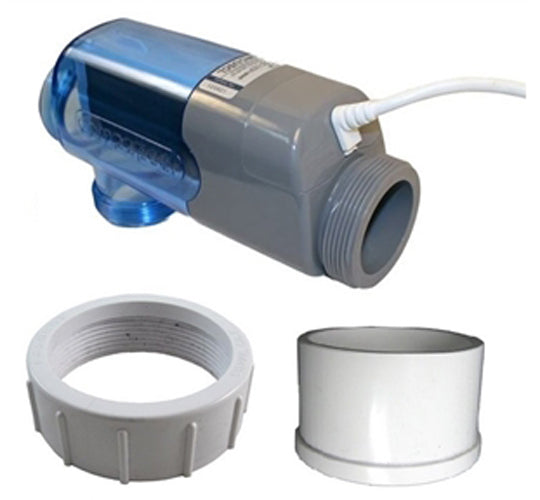
Calcium scale builds up on the cell plates, especially in areas with hard water or when pH runs high. Scale insulates the plates and reduces output. With power off and the pump stopped, remove the cell and look through it with a light:
- Thin white crust or flakes between the plates means it's time to clean.
- Debris such as leaves or hair caught in the cell can block flow.
- Plates that look worn, with the coating visibly thin or gone, suggest the cell is near the end of its life.
Clean the cell using the method in its manual. That's usually a mild acid solution in a cleaning stand or bucket, for only as long as needed to dissolve the scale. Soaking longer than necessary can shorten the cell's life. Rinse thoroughly before reinstalling. Many control boxes have a reminder or a way to reset the cell's salt calculation after cleaning; check your manual.
Step 5: Check flow and the flow switch
Salt systems won't generate chlorine unless they detect water flow, which protects the cell from overheating and gas buildup. If the pump runs but the system shows "no flow":
- Make sure the pump is primed and moving enough water. Clean the baskets and filter.
- Check that valves send water through the cell, not around it.
- Inspect the flow switch or sensor for debris, damage, or a loose connection, and confirm it's installed facing the right direction.
- With variable-speed pumps, very low speeds may not provide enough flow to trigger the switch.
Replacement flow switches, cell cords, and other parts are in Saltwater Parts & Accessories.
Step 6: Review settings and run time
- Make sure the output percentage isn't set too low and the unit isn't in a standby, off, or service mode.
- Confirm the pump runs long enough each day. A cell only makes chlorine while water flows through it.
- Check that the correct cell model is selected in the control's settings, if your system has that option.
Step 7: Rule out water chemistry problems
Sometimes the cell is working but chlorine is being used up as fast as it's made. Common causes include:
- Low stabilizer: without cyanuric acid, sunlight destroys chlorine quickly in outdoor pools.
- High chlorine demand: heavy swimmer load, debris, algae, phosphates, or nitrates. You may need to shock the pool and clean it before the cell can keep up.
- pH out of range: high pH makes chlorine less effective and speeds up scaling on the cell.
Our water chemistry guide explains each of these tests. Balancing chemicals are in Pool & Spa Chemicals.
Step 8: When to replace the cell or board
Cells wear out over time, and their rated life depends on the model and how hard they've worked. Signs of a worn-out cell include low output even when salt, temperature, flow, and chemistry are all correct; a low salt reading that doesn't improve after cleaning; and an inspect-cell warning that keeps returning. If the cell has no power at all, the problem may be the control board, power supply, or cord. A technician can test these.
Replacement cells must be compatible with your control system, so match the cell to the controller's brand and model. Shop replacement cells and complete systems in Salt Chlorinators & Cells. If you're upgrading to a new system, see How to Choose a Salt Water Pool System.
Not sure which cell matches your control box? Use the chat on this page or reach us through our contact page with your system's model number, and we'll help you find a compatible replacement.